You’re closer than you think you are
Last week I was in the field deploying new services. The deployment went very smoothly with very few in-the-moment changes or follow-ups. Part of the prep was building a very detailed process document. That document captured each step and each expected outcome. That kind of documentation isn’t glamorous. It’s often overlooked. But it turns out it’s the most important input we had. We built it by “imagining” each step we’d take in the moment.
It turned out that process document was a perfect blueprint for automation. We’d already laid out the order of operations, defined the goals, and spelled out what a “win” looked like. We included enough detail for flexibility, but enough structure to keep things from getting messy.
So, let’s dig a bit into how I’d actually build these automations.
Environment and Tools
- GitHub for storage, version control, etc.
- OpenAI Codex for development. This includes a very nice integration with GitHub to create PRs and do code reviews. I do have a $20/month ChatGPT Plus subscription.
- Git is super helpful for testing everything you make. You can easily pull down new commits and test for yourself.
- I’ve been using Sublime Text. In my world I’m not writing a ton of code, so it works for now.
- Postman with various mainstream collections for understanding and testing APIs.
- Python is my most fluent language, so that’s what I prefer. You do you!
Documentation
- Process Mapping - I’d always suggest mapping out each step. Use your favorite notebook, diagramming software, or LLM. But you need to have a mid-level understanding of your process in order to automate it.
- API Info - If you’re interacting with external applications you need to have the appropriate URLs, keys, and API endpoint information.
First Prompt
The first prompt is usually pretty long. You have to provide some context like boundaries and expectations and resources. Think along the lines of how you’d explain the project to a human developer. I like to start the prompt off with general expectations, then move on to the operational goals, followed by adding any additional resources to the prompt. This might include links to external documentation, attaching documents, etc.
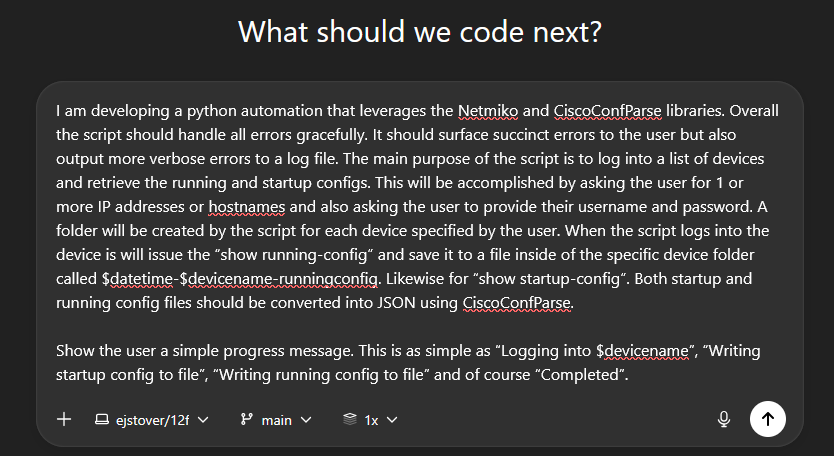
Outcome

From this screen we can turn our prompt into reality. We see a summary of how the code is written and what it does. We can also create a pull request for the 142 lines of Python that were created by Codex.
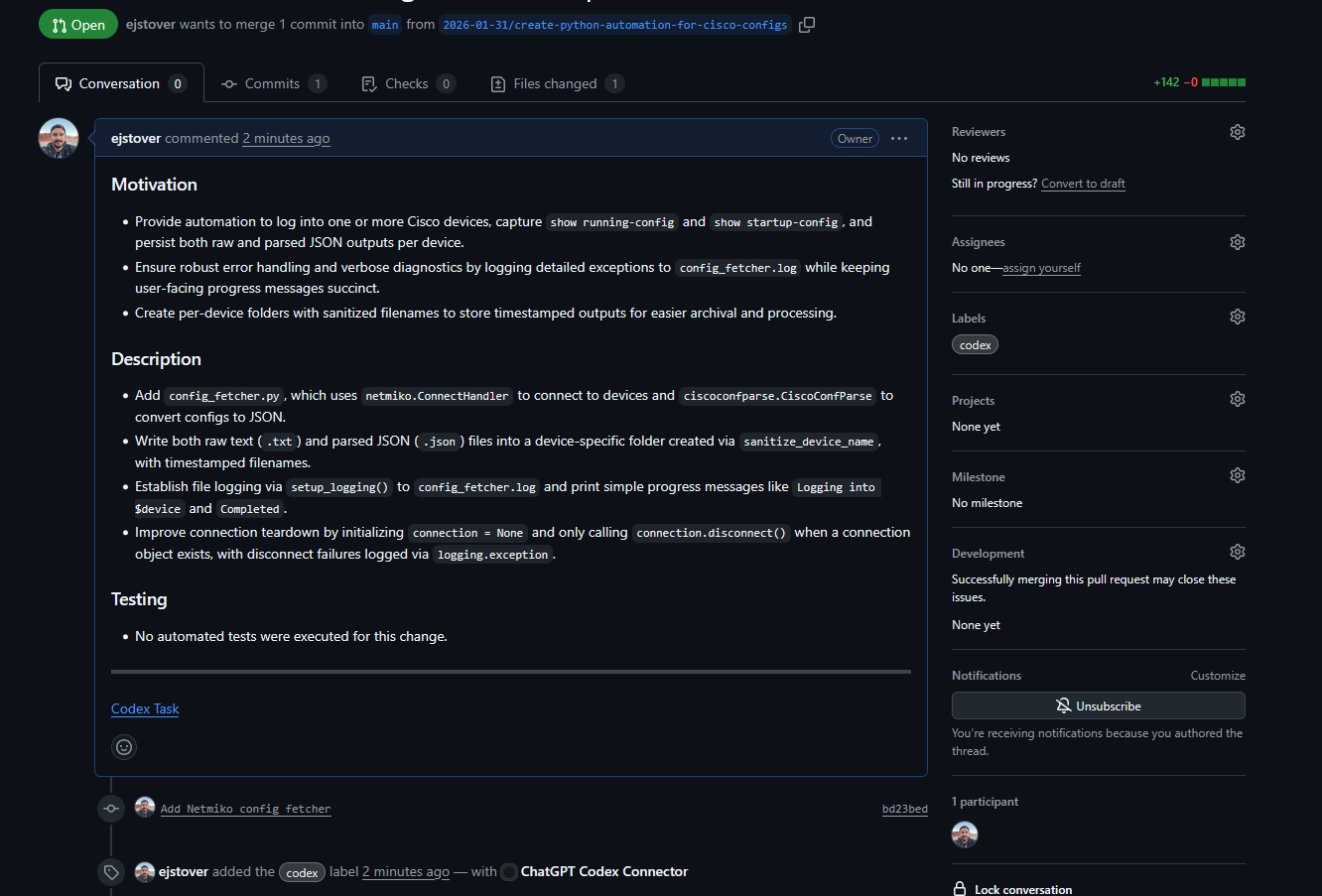
We see the pull request has been generated in GitHub along with comments. From here, I like to clone and do some testing.
Hopefully you have Python and Git installed. If so, run git clone -b <branch_name> <repository_url>.git.
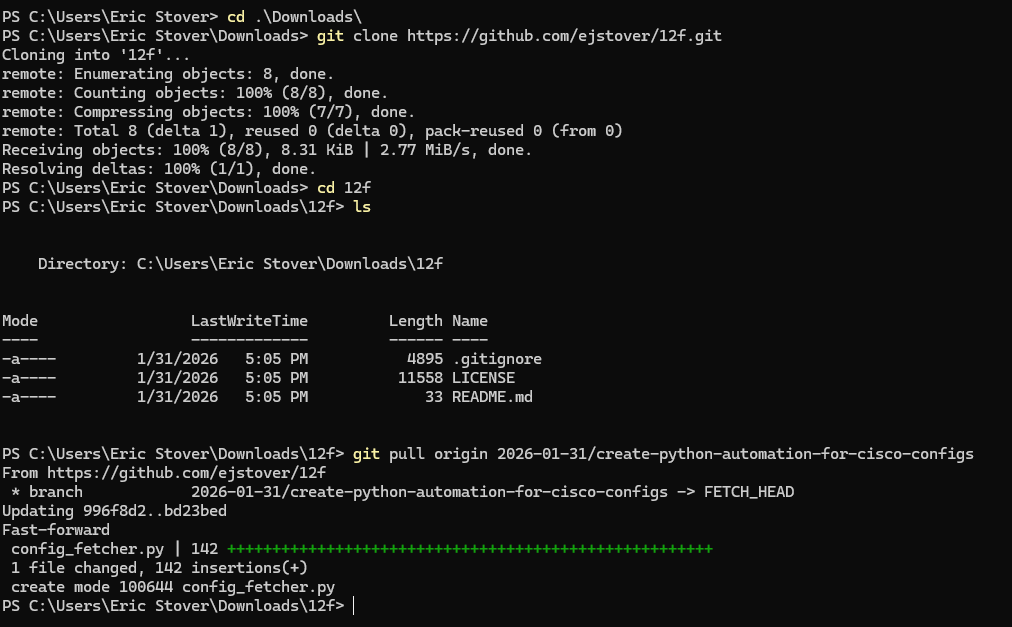
After that, you have a working local repo and can test what you’ve created.
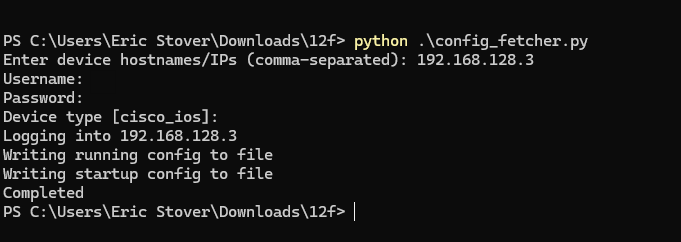
Check out the repo referenced: https://github.com/ejstover/12f/tree/2026-01-31/create-python-automation-for-cisco-configs.